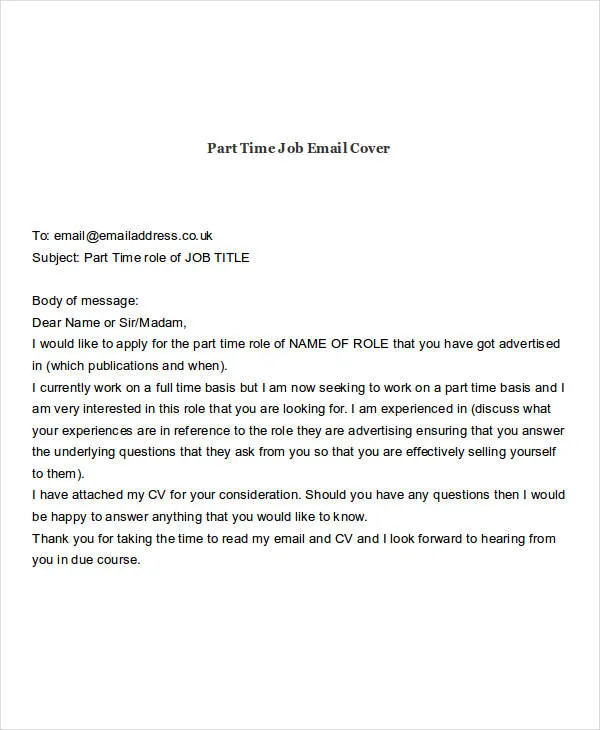
What is a Cover Letter Email (and Why You Need It)
In the digital age, a cover letter email is your first introduction to a potential employer. It’s a concise, professional message that accompanies your resume when applying for a job. Unlike a traditional cover letter, this email is typically the first point of contact, making a strong impression crucial. It’s your chance to showcase your personality, enthusiasm, and suitability for the role. When applying online, many companies require or suggest a cover letter email. Skipping this step could mean your application is overlooked, as it demonstrates your interest and attention to detail. Think of it as a personalized elevator pitch, quickly summarizing your key qualifications and why you’re the ideal candidate. A well-crafted cover letter email complements your resume by providing context and highlighting specific achievements that align with the job requirements. By taking the time to write a thoughtful email, you’re demonstrating your commitment and increasing your chances of landing an interview.
The Importance of a Cover Letter Email
The significance of a cover letter email extends beyond simply attaching your resume. It’s a crucial tool for making a positive first impression, particularly in today’s competitive job market. This email provides a platform to personalize your application, showing the hiring manager why you are a unique fit for the specific role and the company culture. It also allows you to highlight your relevant skills and experiences that align with the job description, going beyond what is already present in your resume. By showcasing your enthusiasm and understanding of the company’s needs, you demonstrate that you have done your research and are genuinely interested in the opportunity. A well-written cover letter email can set you apart from other applicants, especially those who may simply send generic resumes without a personalized message. The importance lies in its ability to transform a generic application into a targeted pitch that emphasizes your suitability for the position. In essence, it serves as a crucial step in your job search, significantly influencing the hiring manager’s perception of your candidacy.
Cover Letter Email vs Traditional Cover Letter

While both serve the purpose of introducing you to a potential employer, a cover letter email and a traditional cover letter differ in several key aspects. A traditional cover letter is often a more detailed document, usually formatted as a separate attachment, allowing for a more in-depth exploration of your qualifications and experiences. It provides ample space to elaborate on specific achievements, explain career gaps, or delve into why you are interested in the role. In contrast, a cover letter email is typically shorter and more direct. It’s designed to be read quickly, serving as an initial introduction that prompts the recipient to open your attached resume. The email’s primary goal is to capture the hiring manager’s attention immediately, highlighting your most relevant skills and expressing your interest in the position. The style of writing also differs. Email cover letters are usually more conversational and less formal than traditional letters, reflecting the nature of electronic communication. Both are vital for your job search, but they serve different roles and should be tailored accordingly. The email cover letter functions as an entry point, while the traditional letter offers more depth and detail.
Crafting the Perfect Cover Letter Email Subject Line
The subject line of your cover letter email is your first and often only chance to make an impression on a potential employer. It must be concise, clear, and attention-grabbing to encourage the recipient to open your email. A generic subject line like ‘Job Application’ is likely to be overlooked. Instead, aim for something specific, such as ‘Application for Marketing Manager Position’ or ‘Application – [Your Name] – [Job Title]’. Including the job title ensures the hiring manager knows immediately what role you are applying for, and using your name personalizes the email. If you were referred by someone, mention their name in the subject line to increase the chances of your email being noticed. For example, ‘Referral from [Name] – Application for Software Engineer’. Avoid using overly creative or unprofessional subject lines; clarity and professionalism are paramount. A well-crafted subject line dramatically increases the likelihood that your email will be opened and your application considered. It is your first step in making a positive impression, so take the time to ensure it accurately reflects the purpose of your email.
Best Subject Lines for Cover Letter Emails
Choosing the right subject line is critical for making a strong first impression. Here are some effective examples: Application for [Job Title], [Your Name] – Application for [Job Title], Referral from [Name] – [Your Name] for [Job Title], Enthusiastic [Job Title] Candidate – [Your Name], and Highly Motivated [Job Title] – [Your Name]. These options immediately inform the recipient of the purpose of your email and include key information such as your name and the specific job title. If you have any unique qualifications or experiences that align with the job requirements, you can tailor the subject line to highlight those. For example, ‘Experienced Project Manager Application’ or ‘Digital Marketing Specialist – Proven Results’. When responding to a job posting, always use the job posting number if provided. Remember to keep it concise and professional. Avoid using vague or overly creative subject lines; clarity and relevance are key to getting your email opened. Your goal is to make it as easy as possible for the recipient to understand what the email is about and to encourage them to review your application.
Essential Elements of a Cover Letter Email

A compelling cover letter email incorporates several essential elements to create a lasting impression. Begin with a professional greeting, such as ‘Dear [Hiring Manager name]’ or ‘Dear [Mr./Ms. Last Name]’. If the hiring manager’s name isn’t available, ‘Dear Hiring Team’ is a safe alternative. The body of the email should briefly introduce yourself, state the position you are applying for, and explain where you found the job posting. Highlight your key skills and experiences that align with the job requirements, using concise bullet points or short paragraphs to showcase your most relevant qualifications. Demonstrate your genuine interest in the company and the specific role, explaining why you are excited about the opportunity. Tailor your email to the job description, mentioning specific requirements and how your skills meet those needs. End with a call to action, such as requesting an interview or thanking the hiring manager for their time and consideration. Ensure your contact information is readily available, and always proofread your email for any grammar or spelling errors before sending. These elements collectively create a well-structured and persuasive cover letter email that increases your chances of success.
Your Contact Information and Greeting
Starting your cover letter email with a professional greeting and readily available contact information sets the tone for the entire communication. Begin with a formal greeting, like “Dear [Hiring Manager Name]” if you know the name of the person you are addressing. If the name is unavailable, use “Dear Hiring Team” or “Dear [Mr./Ms. Last Name]” to maintain a professional tone. Immediately following the greeting, provide your full name, phone number, and email address. This makes it easy for the hiring manager to contact you. Ensure your email address is professional-sounding. Avoid using nicknames or informal addresses. Placing your contact information at the beginning, as well as in your email signature, ensures it is easily accessible, regardless of where the reader is in the document. Keeping the greeting and contact information concise and professional is crucial for making a positive initial impression, setting the stage for the rest of your application and demonstrating your attention to detail and professionalism.
Highlighting Your Key Skills and Experience
Highlighting your key skills and experience is the most crucial part of your cover letter email. This is where you demonstrate to the hiring manager why you are the right fit for the job. Start by identifying the core skills and qualifications listed in the job description. Then, select 2-3 of your most relevant skills and briefly describe how you have used them in previous roles. Quantify your achievements whenever possible, using numbers and data to showcase your impact. For example, instead of saying “Managed social media campaigns,” say “Managed social media campaigns resulting in a 20% increase in engagement.” Keep it concise and focused, avoiding jargon or overly technical language. Tailor your highlights to match the specific requirements of the job. Explain how your skills align with the company’s needs. Mention any specific projects or accomplishments that demonstrate your ability to excel in the role. The goal is to quickly capture the hiring manager’s attention and show how you can contribute to the company’s success. Make sure your skills and experience are clear, relevant, and impactful, leading the reader to want to learn more by reviewing your resume.
Demonstrating Your Interest in the Role

Demonstrating your genuine interest in the role and the company is essential to create a compelling cover letter email. Show that you’ve done your research by referencing specific aspects of the company’s mission, values, or recent projects that resonate with you. Explain what excites you about the opportunity. Avoid generic statements like “I am interested in this role.” Instead, be specific: “I am particularly drawn to [Company’s] commitment to [specific value] and believe my skills in [related skill] would be a great asset.” Mention how the role aligns with your career goals, and explain why you are motivated to contribute to the company’s success. Expressing your enthusiasm will differentiate you from other candidates and demonstrate your desire to join their team. Tailor your message to reflect your sincere interest in the specific role and how your skills align with the company’s mission. Be specific about why you are applying and what makes you a great fit for the role. Your genuine interest can make a significant difference in the hiring manager’s perception of your candidacy.
Tailoring Your Letter to the Job Description
Tailoring your cover letter email to the specific job description is a critical step in showcasing your suitability for the role. Begin by carefully reviewing the job description and identifying the key requirements, skills, and qualifications the employer is seeking. Then, customize your email to directly address these requirements. Highlight your skills and experiences that match the job’s needs, using the same keywords and phrases from the job description. This shows the hiring manager that you have taken the time to understand the role and that you are a relevant candidate. Mention specific accomplishments or projects that demonstrate your ability to meet the job’s demands. Explain how your skills and experience align with the company’s mission and values. Make sure your email is not generic. Adapt your letter to each job application, customizing it to the specific details outlined in the job posting. Tailoring your email shows the hiring manager that you understand the role and that you are genuinely interested in the opportunity, increasing your chances of getting noticed.
Adding a Call to Action and Closing
Adding a clear call to action (CTA) and a professional closing to your cover letter email is essential for encouraging the hiring manager to take the next step. Your CTA should be concise and specific, for example, “I am eager to discuss how my skills can contribute to [Company’s] success, and I am available for an interview at your earliest convenience.” or “Thank you for considering my application. I look forward to the opportunity to discuss my qualifications further.” Avoid passive language. State your willingness to discuss your qualifications further. In the closing, express your gratitude for the hiring manager’s time and consideration. Use a professional closing, such as “Sincerely,” “Best regards,” or “Thank you.” Make sure you include your full name and contact information in your email signature. This makes it easy for the hiring manager to contact you. A well-crafted CTA and a professional closing leave a positive final impression, encouraging the hiring manager to take the next step and increasing your chances of getting an interview.
How to Format Your Cover Letter Email

Proper formatting is crucial for ensuring your cover letter email is readable and professional. Use a clear, easy-to-read font, such as Arial, Calibri, or Times New Roman, and a font size between 11 and 12 points. Keep your email concise, aiming for three to five paragraphs. Use short sentences and clear language to make your message easy to understand. Use bullet points or numbered lists to highlight your key skills and achievements, making it easy for the hiring manager to quickly scan your qualifications. Ensure there is sufficient white space between paragraphs to improve readability. Avoid using complex formatting, such as excessive bolding, italics, or colored text. Maintain a professional tone throughout the email, and proofread carefully for any grammar or spelling errors. Proper formatting demonstrates your attention to detail and ensures your message is clear and easy to read, which will increase the chances of your application being reviewed favorably. By following these guidelines, you will create a professional cover letter email that effectively communicates your qualifications.
Formatting Guidelines and Best Practices
Adhering to formatting guidelines and best practices can dramatically improve the effectiveness of your cover letter email. Keep the email concise, ideally within one page. Use a professional, easy-to-read font like Arial, Calibri, or Times New Roman. Stick to a font size between 11 and 12 points to ensure readability. Use a simple, clean layout with adequate white space between paragraphs to prevent the email from appearing cluttered. Keep paragraphs short and to the point to maintain the reader’s attention. Use bullet points to highlight your key skills, achievements, and qualifications, making it easy for the hiring manager to quickly scan your relevant information. Avoid excessive use of bolding, italics, or unusual formatting, as this can be distracting. Maintain a professional tone throughout, and always proofread for grammar and spelling errors. Use proper sentence structure and avoid slang or colloquialisms. By following these formatting guidelines, you can ensure your cover letter email is professional, readable, and effectively communicates your qualifications.
Choosing the Right Font and Style
Choosing the right font and style is a subtle but essential aspect of crafting a professional cover letter email. The font you choose affects readability and the overall impression you make. Stick to standard, easy-to-read fonts such as Arial, Calibri, or Times New Roman. These fonts are widely accepted and easy on the eyes, making it easier for the hiring manager to read your message. Use a font size between 11 and 12 points to ensure your email is not too small or too large. Maintain consistency throughout your email, using the same font and size for all text. Avoid using overly fancy or decorative fonts, as they can be distracting and unprofessional. Keep the style simple and clean, and avoid excessive bolding, italics, or colored text, as this can make your email appear cluttered. The goal is to present a professional and polished appearance, so your skills and qualifications are highlighted, not your font choices. By choosing the right font and style, you make your email easy to read and demonstrate your attention to detail, contributing to a positive first impression.
Avoiding Common Cover Letter Mistakes

Avoiding common mistakes in your cover letter email is crucial for making a positive impression and increasing your chances of landing an interview. One of the most significant mistakes is using generic, uninspired language that lacks personalization. Avoid using a template without tailoring it to the specific job and company. Overly long emails can also lose the reader’s attention. Aim to be concise and highlight the most relevant information. Grammatical errors and typos can damage your credibility. Always proofread your email carefully before sending. Providing incorrect information, such as misstating your skills or experience, can lead to immediate rejection. Ensure accuracy in your information. Ignoring the job description and failing to address the specific requirements is a common mistake. Always tailor your email to match the job posting and highlight your relevant skills. A lack of a call to action or a poorly written subject line can also diminish your chances of success. Include a clear call to action and use a professional subject line. Finally, not following instructions, such as failing to attach your resume or using an unprofessional email address, can reflect poorly on your application. By avoiding these common mistakes, you can significantly improve your cover letter email and make a strong impression on hiring managers.
Proofreading and Editing Your Email
Proofreading and editing your cover letter email are crucial steps in ensuring your application is professional and error-free. Carefully review your email for any grammatical errors, spelling mistakes, and punctuation issues. Use a spell checker, but don’t rely on it entirely. Read your email aloud to catch any awkward phrasing or sentence structure issues. Ensure that your contact information is accurate and complete. Verify the name of the hiring manager and the company to ensure accuracy. Check that all attachments are included and properly formatted. Consider having a friend or colleague review your email for a fresh perspective. They may catch errors you’ve missed. Make sure your tone is professional, and your message is clear and concise. Edit out any unnecessary words or phrases. Proofreading demonstrates your attention to detail, which is a valuable skill in any role. An error-free email shows respect for the hiring manager and increases your chances of making a positive impression. It’s a critical step in maximizing your chances of securing an interview.
Checking for Grammar and Spelling Errors
Thoroughly checking for grammar and spelling errors is an essential step in perfecting your cover letter email. Errors in grammar and spelling can create a negative impression. They may suggest a lack of attention to detail or a lack of professionalism. Use a spell checker, but do not rely on it. Proofread your email carefully, looking for mistakes that a spell checker may miss, such as using the wrong word or incorrect punctuation. Pay attention to sentence structure, ensuring that your sentences are clear, concise, and easy to understand. Read your email aloud to check for any awkward phrasing or sentences that don’t flow well. It’s also a good idea to have a friend or colleague review your email for a fresh perspective. They may catch errors that you’ve missed. Taking the time to thoroughly check for grammar and spelling errors demonstrates your professionalism and attention to detail. This makes a positive impression on the hiring manager and increases your chances of getting an interview.
Example Cover Letter Email Templates

Having access to example cover letter email templates can be beneficial in guiding you to create your own effective email. These templates provide a framework for structuring your message and highlighting key information. They can help you understand the essential elements. Consider using a template as a starting point, then customize it to fit your specific circumstances and the job you’re applying for. You will be able to adapt the template to reflect your skills, experience, and the requirements outlined in the job description. Remember to personalize the template with your own unique details and tailor the content to the specific job. These templates should serve as a starting point. Creating a custom cover letter email will provide you the best chances of making a lasting impression. Many online resources provide well-structured templates you can adapt, focusing on various job types, experience levels, and industries. Using a template can ensure you are covering all essential information, such as the subject line, greeting, body, and closing. You can adjust these templates to showcase your uniqueness.
Example 1: For a General Application
Here is an example cover letter email for a general application: Subject: Application for [Job Title] – [Your Name]. Dear [Hiring Manager Name/Hiring Team], I am writing to express my interest in [Job Title] positions at [Company Name]. With [number] years of experience in [industry/field], I am confident that my skills and experience align well with your needs. In my previous role at [Previous Company], I was responsible for [key responsibilities], resulting in [achievements]. I am particularly drawn to [Company Name]’s [company value or project], and I am confident that I can bring value to your team. My resume, attached, provides further details on my qualifications. Thank you for considering my application. I look forward to the opportunity to discuss my qualifications further. Sincerely, [Your Name] [Your Phone Number] [Your Email Address] [Link to your LinkedIn Profile (optional)]. This template offers a solid structure to showcase your qualifications and interest, providing a direct way to capture a hiring manager’s attention. Remember to modify the details to reflect your experience and the company you are applying to.
Example 2: Addressing a Specific Job
Here’s an example cover letter email addressing a specific job: Subject: Application for Marketing Specialist – [Your Name]. Dear [Hiring Manager Name], I am writing to apply for the Marketing Specialist position advertised on [Platform]. With [number] years of experience in digital marketing and a proven track record of [achievements], I am eager to join your team. As demonstrated in my attached resume, I have experience in [key skills like SEO, Social Media, Content Creation] which aligns perfectly with the job description. I am excited about the opportunity to contribute to [Company’s] marketing goals, particularly in [specific project or area]. I was particularly interested in [Specific detail mentioned in the job description] .Thank you for considering my application. I am available for an interview at your earliest convenience. Sincerely, [Your Name] [Your Phone Number] [Your Email Address]. This email template is tailored to match the job requirements, highlighting key skills and expressing a genuine interest in the role. Always customize these templates to match the job requirements. Remember to adjust the content to showcase your specific skills and achievements, showing your motivation for the position.
Optimizing Your Cover Letter Email for Applicant Tracking Systems (ATS)
Optimizing your cover letter email for Applicant Tracking Systems (ATS) is essential for ensuring your application is noticed. ATS are software systems used by many companies to screen applications. To optimize, start by researching keywords from the job description and including them naturally in your email. Pay attention to the exact wording used in the job posting. For instance, if the job description emphasizes “project management,” include this phrase in your email instead of a synonym. Use clear, concise language and avoid overly creative formatting or complex layouts, as these can sometimes confuse ATS software. Ensure that your email is well-structured and easy to read, with clear headings, bullet points, and plenty of white space. Avoid using images or tables unless specifically requested. Attach your resume as a .pdf file. By following these steps, you increase the likelihood that your cover letter email and resume are scanned and reviewed by the hiring manager, ultimately improving your chances of securing an interview. Remember to tailor your email to each job application, customizing keywords to each job’s specific needs.
Understanding ATS and Its Impact
Understanding Applicant Tracking Systems (ATS) is key to navigating today’s job market. ATS are software programs used by companies to manage the recruitment process. These systems scan applications and filter candidates based on pre-defined criteria, such as keywords, skills, and experience. ATS’ impact is significant. If your application isn’t optimized for the ATS, it might be automatically rejected before it even reaches a human recruiter. This can be frustrating. You need to use appropriate keywords, formatting, and overall readability to increase your chances of passing the ATS screen. It’s crucial to understand how these systems work to ensure your cover letter email is formatted correctly and that your resume includes relevant keywords. Failing to do so can lead to your application being overlooked, no matter how qualified you are. Recognizing the impact of ATS allows you to tailor your applications for better results, leading to greater job search success. Knowing how to optimize your cover letter email and resume for these systems is critical for today’s job seekers.
Keywords and Formatting for ATS
Optimizing your cover letter email for Applicant Tracking Systems (ATS) requires careful attention to keywords and formatting. Start by analyzing the job description. Identify the key skills and qualifications the employer is seeking. Incorporate these keywords naturally into your email. Use the exact phrasing from the job description. Avoid synonyms, as ATS often looks for the specific words. Formatting is equally important. Keep your email concise and easy to read, with clear headings, bullet points, and ample white space. Avoid complex formatting. Ensure that your resume is also ATS-friendly. Save it as a .pdf file. Use a simple, clean font. By strategically using keywords and formatting your email correctly, you can increase your chances of passing the ATS screening process. Always tailor your email to each job application, ensuring your content aligns with the specific needs of the position.
Best Cover Letter Email Practices
Best practices in cover letter emails involve combining clear communication and professionalism to make a strong impact. Always tailor your email to the specific job and company. Show that you have done your research. Include a personalized greeting, addressing the hiring manager by name if possible. Highlight your key skills and experiences. Focus on the most relevant qualifications and explain how they align with the job requirements. Express your genuine interest in the role and the company. Proofread your email carefully for any grammatical errors or spelling mistakes. Keep the email concise, aiming for three to five paragraphs. End with a clear call to action, inviting the hiring manager to review your resume and consider your application. Maintain a professional tone. Ensure that your email is easy to read and well-formatted. By following these practices, you can improve the quality of your application and significantly increase your chances of landing an interview. It’s a valuable process to follow.
Tips for Sending Your Cover Letter Email
To ensure your cover letter email is sent effectively, you should take some practical steps. Always double-check the recipient’s email address to avoid sending your email to the wrong person. Proofread your email and resume before sending. Check to make sure that you’ve attached your resume and that it is in the proper format (preferably PDF). Send your email at an appropriate time. Avoid sending it late at night or very early in the morning. If you’re applying through an online portal, follow all the instructions carefully. Be sure to use a professional email address. When possible, use the company’s official email address. After sending your email, keep a copy of your sent mail for your records. Follow up with the hiring manager after a week or two to show your interest. Taking these steps increases the likelihood that your application will be considered and makes a positive impression on the hiring team. These tips help to show your attention to detail and professionalism.
Follow-up Strategies After Sending
Implementing effective follow-up strategies after sending your cover letter email is an important part of the job application process. If you haven’t heard back within a week or two, it’s acceptable to send a polite follow-up email. Keep your follow-up brief, referencing the position you applied for and reiterating your interest. If you have a direct contact at the company, reaching out to them can be a good strategy. You can try to connect with the hiring manager or a recruiter on LinkedIn. Remember to personalize your follow-up. Show that you remember details about the company. Be patient, and don’t become discouraged if you don’t hear back immediately. Follow-up demonstrates your initiative and ongoing interest. However, be mindful not to be overly persistent, as it could be perceived negatively. A thoughtful follow-up can remind the hiring team of your application and keep you top of mind. This can increase your chances of receiving an interview.
Tracking Your Applications
Keeping track of your job applications is essential for staying organized and managing your job search effectively. Creating a spreadsheet or using a job application tracking tool can help you. In your tracking system, include the job title, company name, date of application, the job posting source, and the contact person’s name. You should also include the status of your application, the date of any follow-ups, and any notes from your interactions. Keeping track of these details helps you manage your applications. It also makes it easier to follow up with companies and track the progress of each application. Monitoring the dates of your applications can help you determine when it’s appropriate to follow up. Maintaining a system allows you to identify which companies you need to follow up with. It also helps you track the results of your job search and identify strategies that are working or need to be adjusted. By tracking your applications, you can stay organized, manage your job search effectively, and increase your chances of landing your next job.